- Flicka
- Product
A Screen Studio alternative for Windows, as a Chrome extension
Screen Studio's own FAQ says there are no near-future plans for Windows. If you want that look on a PC, these are the real options, including ours, with the trade-offs stated.
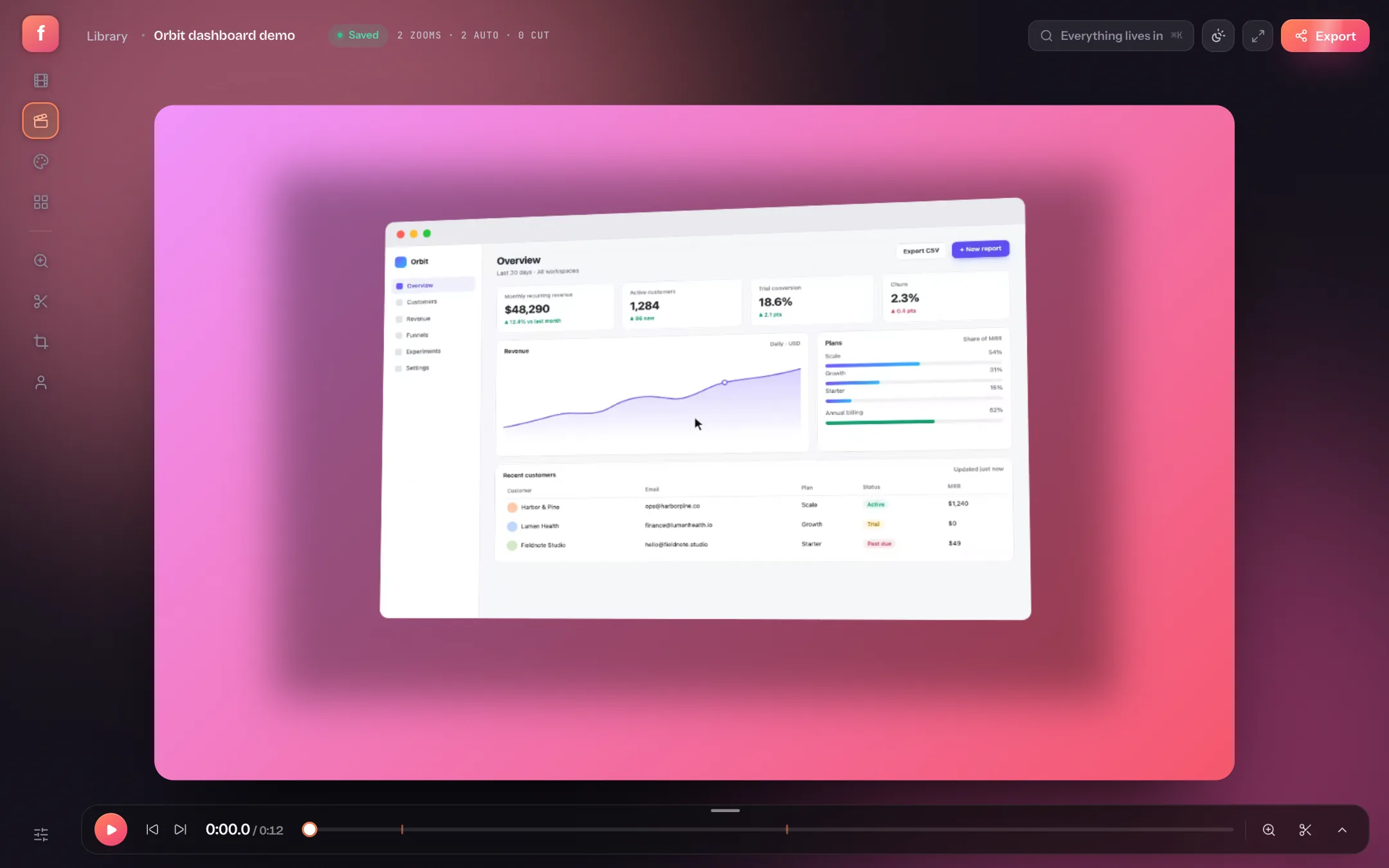
Screen Studio set the standard for demo videos: automatic zooms on the cursor, a soft backdrop, a window frame, a smooth pointer. It is also a Mac app. Its FAQ answers the Windows question with “No, and there are no near-future plans to add Windows support”, and the Windows request on its feedback board is marked Rejected. So what do you use on a PC?
Flicka does the same job from a Chrome extension: record, get the zooms, backdrop and frame applied, trim, export an MP4. It runs in Chrome, Edge, Arc or Brave on Windows 10 and 11 — no desktop app, nothing uploaded. It is not the only option, so the honest comparison is below.
The options on Windows, side by side
| Flicka | Cap | Cursorful | Screenity | Tella | |
|---|---|---|---|---|---|
| Runs on Windows | Yes (Chrome extension) | Yes (desktop app, labelled beta) | Yes (extension, plus a Pro desktop app) | Yes (extension) | Yes (desktop app, labelled beta) |
| Desktop app needed | No | Yes | Only for Pro Desktop | No | Yes |
| Auto-zoom on clicks | Yes, from clicks on Chrome pages* | Yes | Yes, inside the browser (all apps with Pro Desktop) | Paid editor only | Yes |
| Backdrops and frames | Yes | Yes | Yes | Paid editor | Yes |
| Screenshot annotator | Yes, free | Yes | No | No | No |
| Nothing uploaded | Never | Local mode; cloud optional | Yes | Yes | No, cloud first |
| Free plan | Yes, with a small mark, commercial use allowed | Personal use only | Non-commercial only | Yes | 7-day trial only |
| Paid | $5/month, $30/year or $80 once | $29/year or $58 once (desktop licence) | $79 once | $10/month or $120/year | From $13 per user per month, billed yearly |
Where Flicka is the better pick
- A locked-down work laptop. No admin rights and no installer — it is an extension from the Chrome Web Store.
- A one-off demo. Add the extension, press the shutter, remove it afterwards if you like.
- Screenshots as well as video. The annotator (arrows, steps, blur, redaction bars, device frames) is free and lives in the same library.
- Commercial use without paying. The free plan carries a small mark but no licence restriction.
- Pay once. $80 for a lifetime licence, with a 14-day refund window on the first purchase.
Where something else is the better pick
- You record desktop apps all day. Cap and Cursorful Pro Desktop see clicks in any application; Flicka's automatic zooms only come from Chrome pages.
- You want free and open source. Cap and Screenity are both open source; Flicka is not.
- You need share links. Cap, Screenity Pro and Tella host your video and give you a link. Flicka exports a file.
- You use Firefox or Safari. Flicka needs a Chromium browser.
How to record on Windows with Flicka
Install the extension
Get Flicka for Chrome. No account is needed to record.
Pick a source and press Record
Full screen, a window or a browser tab. Turn on System audio to capture what the PC is playing. Chrome asks what to share.
Stop, and the take is already styled
Backdrop, frame and zooms on the clicks Flicka saw. Add zooms with Z for anything else, trim the ends, export an MP4.
The Windows recording guide covers system audio, two monitors and the Game Bar and Snipping Tool gaps in more detail.
Sources
- Screen Studio: screen.studio FAQ “Is the Windows version ready?” and hub.screen.studio feature requests.
- Cap: cap.so/pricing and cap.so/download.
- Cursorful: cursorful.com/install and cursorful.com pricing.
- Screenity: screenity.io and screenity.io/pro.
- Tella: tella.com/pricing and tella.com/windows.
- All checked on 2026-09-13. If something is out of date, tell us and it will be corrected.
Is there a Windows version of Screen Studio?
No. Screen Studio's FAQ says there are no near-future plans to add Windows support, and its public feature board marks the Windows request as rejected.
Does Flicka work on Windows 10?
Yes. It runs in Chrome or Edge, so Windows 10 and 11 behave the same.
Is the free plan limited to personal use?
No. The free plan adds a small Flicka mark to exports and holds 10 projects, but you can use it for work.