- Flicka
- Product
Annotate a screenshot in your browser. Free, and nothing is uploaded.
Fifteen tools, blur and redaction that actually redact, backdrops and device frames, exports up to 3×. Everything runs in the browser, so a screenshot of customer data stays on your machine.
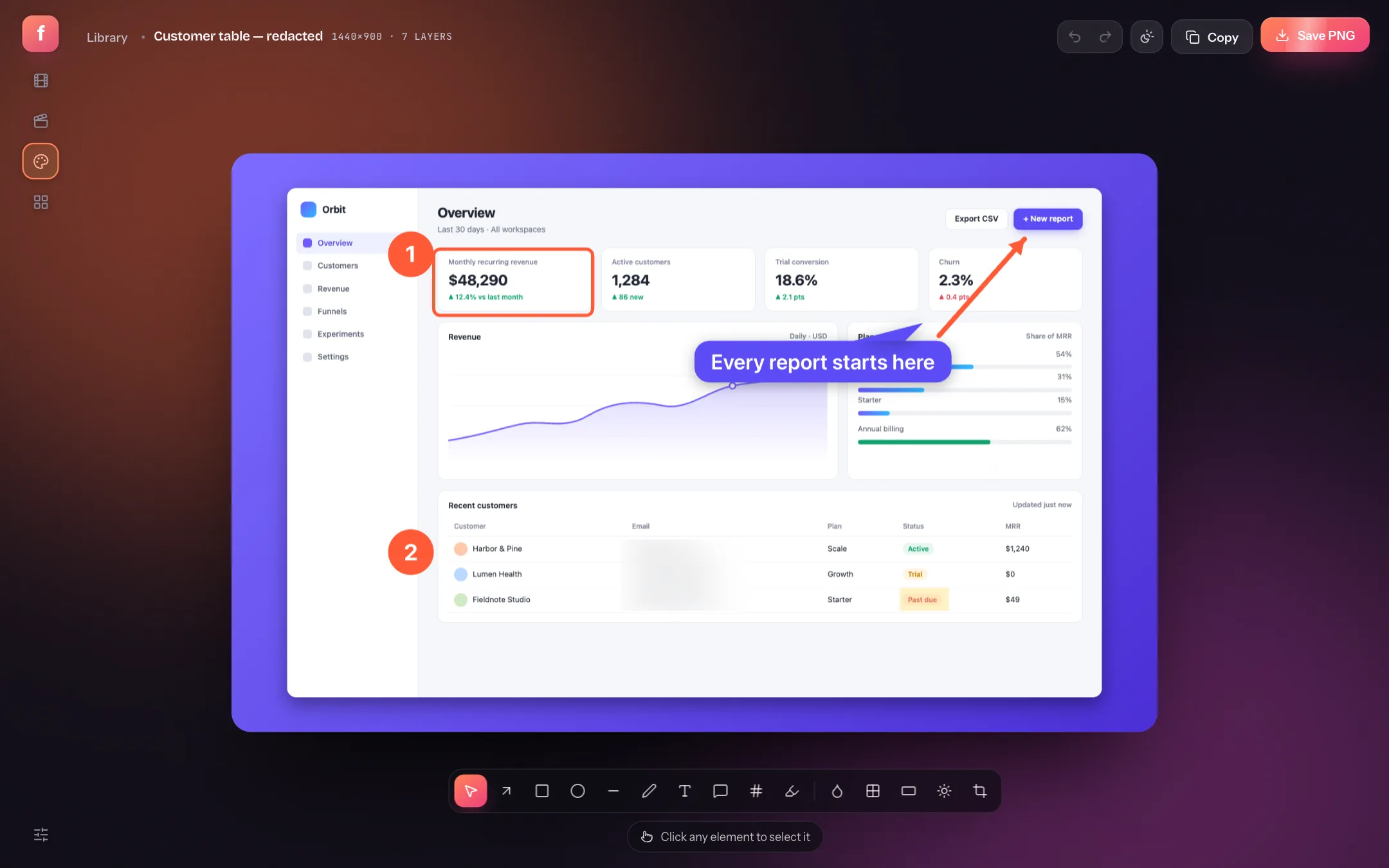
Most online screenshot editors upload your image to a server first. This one does not: the annotator runs entirely in your browser tab, saves to the browser's own storage, and exports a PNG straight to your disk. It is free on every plan.
What you can do
- Point: arrows, lines, rectangles, ellipses, freehand pen, text and callouts.
- Number: steps that count up on their own, press N and click.
- Hide: blur (B), pixelate and solid redaction bars. The pixels are replaced in the export, not covered by a layer that can be removed.
- Style: 12 free backdrops, padding, corner radius and shadow, plus macOS and Windows window frames, so a screenshot matches a video made in the same studio.
- Export: presets for Open Graph, Tweet, Instagram, Dribbble, LinkedIn, Product Hunt, App Store and Chrome Web Store, at 1×, 2× or 3×.
How it works
Drop or paste an image
Open the extension's library and press ⌘V with an image on the clipboard, or drop a file on it. Any PNG or JPEG works, including screenshots taken elsewhere.
Annotate
Pick a tool from the rail or press its key. Every annotation stays a separate, editable layer until you export.
Save the PNG
Choose a size preset and density, then Save PNG. The file is written to your downloads folder; nothing is sent anywhere.
For a walkthrough with real screenshots of every tool, read how to annotate and blur screenshots.
Is my screenshot uploaded?
No. The image is read into the browser tab and stays there. See every request the studio makes.
Can I blur part of a screenshot without the blur being undone?
Yes. Blur, pixelate and redaction bars change the pixels in the exported file. Someone with the PNG cannot recover what was underneath.
Does it work on a phone?
No. The studio needs a desktop browser (Chrome, Edge, Arc or Brave on a Mac or PC).